
Disclosure: The Circuit AI may earn a commission if you sign up for a tool through links on this site, at no extra cost to you. We only cover tools we think are genuinely useful.
If you keep copying data between apps, answering the same emails, or pasting text into ChatGPT by hand, you are doing work a workflow could do for you. n8n is one of the most popular tools for building those workflows, and in 2026 it is also one of the easiest ways to put an AI agent to work on real tasks. This beginner’s guide explains what n8n is, what it costs, and how to build your first AI-powered automation.
What is n8n?
n8n (pronounced “n-eight-n”) is a visual workflow automation platform. You build automations by connecting nodes on a canvas: a trigger node starts the workflow, and each node after it does one job, such as reading an email, calling an AI model, updating a spreadsheet or sending a Slack message.
What sets n8n apart from many no-code tools:
- Self-hosting option: a free Community Edition you can run on your own server.
- Code when you need it: you can drop JavaScript or Python into a workflow when a no-code node is not enough.
- Built-in AI: an AI Agent node, MCP support and other AI nodes are included on its cloud plans.
- Execution-based pricing: you pay per full workflow run, not per step.
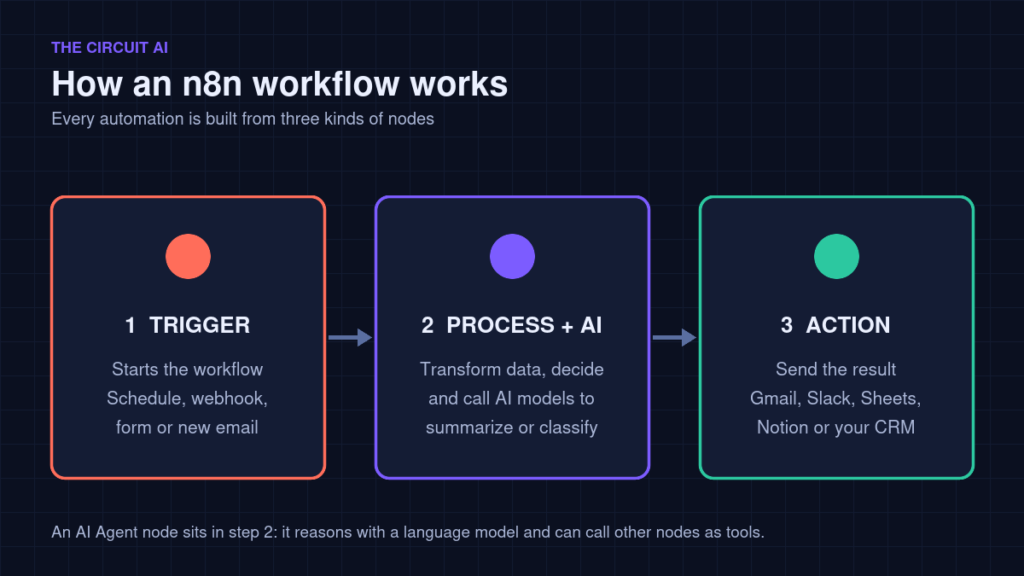
How n8n workflows work (the 3 building blocks)
- Trigger: what starts the workflow, such as a schedule (every morning at 9), a webhook, a form submission or a new email.
- Processing: nodes that transform data, make decisions (IF / Switch) or call AI models to summarize, classify or write text.
- Action: where the result goes, such as Gmail, Slack, Google Sheets, Notion or your CRM.
An AI agent in n8n sits in the middle: it receives the data, reasons about it with a language model, and can call tools (other nodes) to finish the job.
n8n pricing in 2026
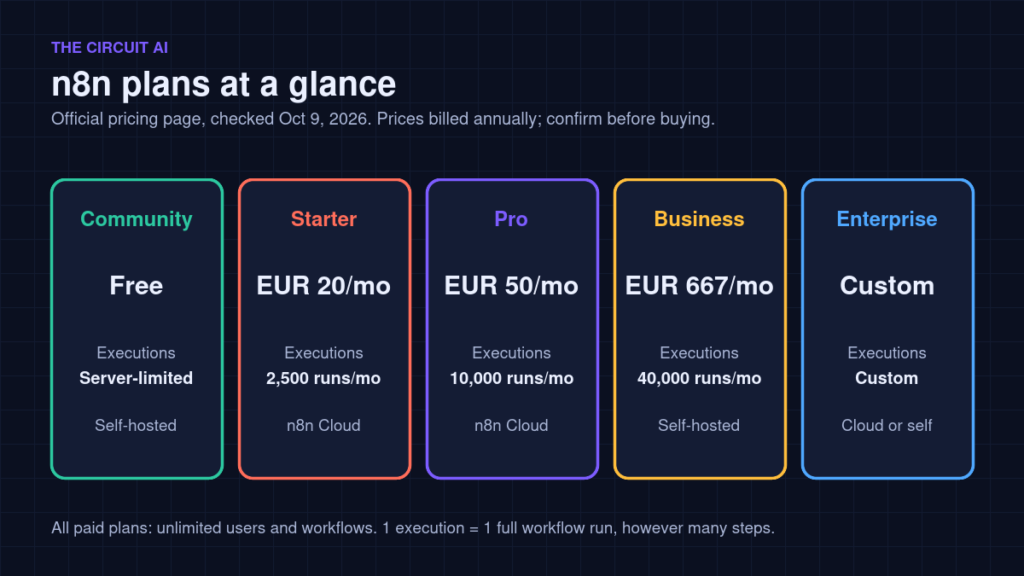
These are the plans listed on n8n’s official pricing page (checked October 9, 2026). Prices shown are billed annually; monthly billing costs more. Always confirm on n8n.io/pricing before you buy.
| Plan | Price (billed annually) | Workflow executions | Hosting |
|---|---|---|---|
| Community Edition | Free | Limited only by your server | Self-hosted |
| Starter | €20/month | 2,500 per month | Hosted by n8n |
| Pro | €50/month | 10,000 per month | Hosted by n8n |
| Business | €667/month | 40,000 per month | Self-hosted only (for now) |
| Enterprise | Custom quote | Custom | Hosted or self-hosted |
All paid plans include unlimited users and workflows. The cloud free trial needs no credit card and includes up to 1,000 executions, so you can test properly before paying.
Which should a beginner choose? Start with the cloud trial. If you are comfortable with servers and want unlimited runs, the free Community Edition is worth a look later, but remember you are then responsible for hosting, backups and updates.
Build your first AI automation: an email summary bot
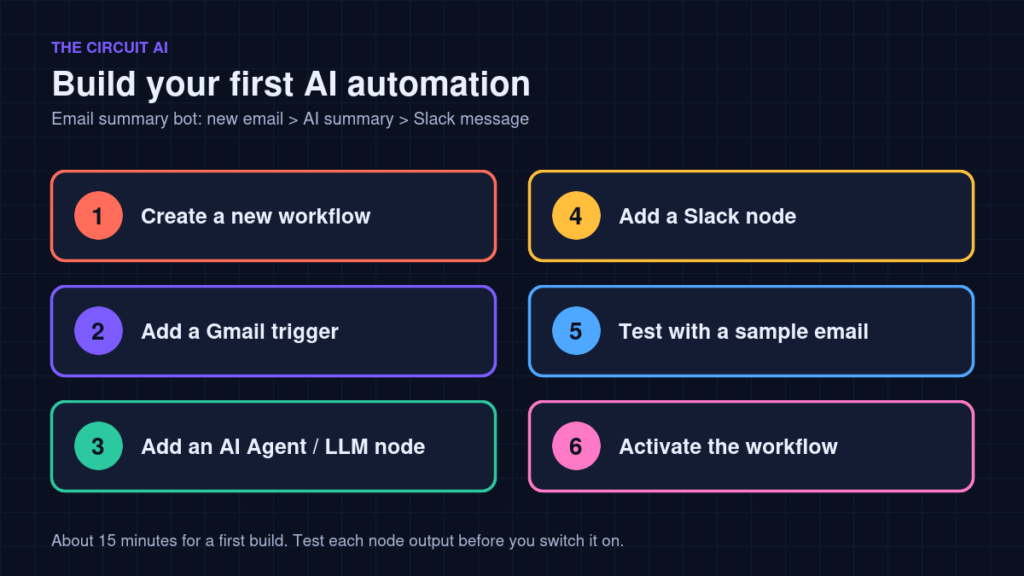
This simple workflow reads new emails, asks an AI model to summarize them, and posts the summary to Slack. It takes about 15 minutes.
- Create a workflow. Sign up for n8n Cloud (or open your self-hosted instance) and click to create a new workflow.
- Add a trigger. Choose the Gmail trigger, connect your Google account, and set it to watch for new emails (you can filter by label so only important mail is processed).
- Add an AI step. Add an AI Agent or LLM node. Give it a clear prompt, for example: “Summarize this email in 3 bullet points and say whether it needs a reply today.” Map the email subject and body into the prompt.
- Add an action. Add a Slack node and send the AI’s output to a channel or to yourself as a direct message.
- Test it. Run the workflow once with a sample email, check each node’s output, and fix any mapping errors.
- Activate it. Switch the workflow to active. Every new matching email now becomes a short summary in Slack.
Tip: Each full run counts as one execution, no matter how many nodes it has. A workflow that runs every 5 minutes uses roughly 8,600 or more executions a month, so prefer event-based triggers over frequent polling on the smaller plans.
5 beginner-friendly n8n automation ideas
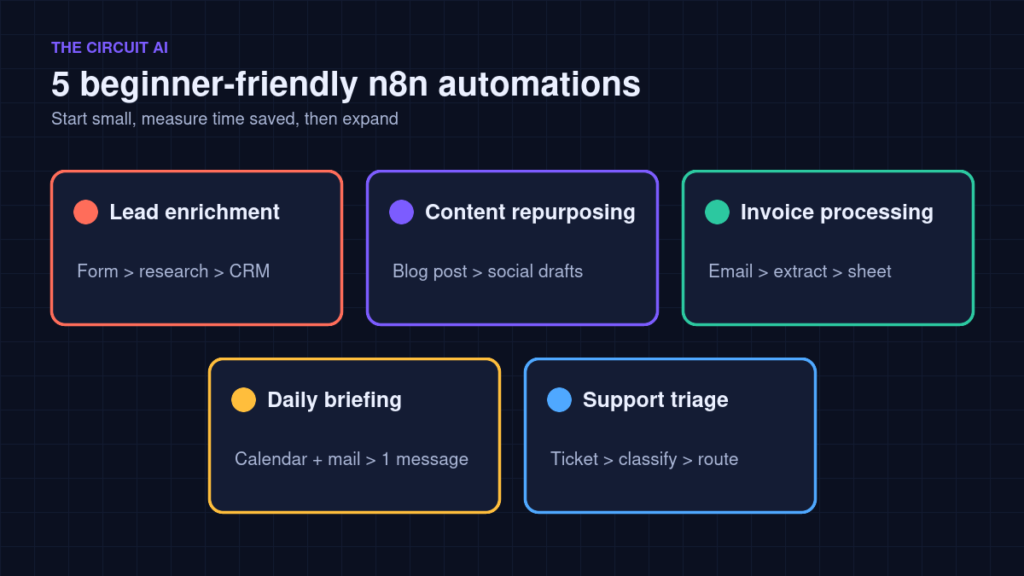
- Lead enrichment: when a form is submitted, look up the company, score the lead with AI and add it to your CRM.
- Content repurposing: turn a new blog post into draft social posts for review.
- Invoice processing: extract totals and due dates from emailed invoices into a spreadsheet.
- Daily briefing: every morning, collect calendar events, key emails and news into one message.
- Support triage: classify incoming tickets by urgency and route them to the right person.
n8n pros and cons
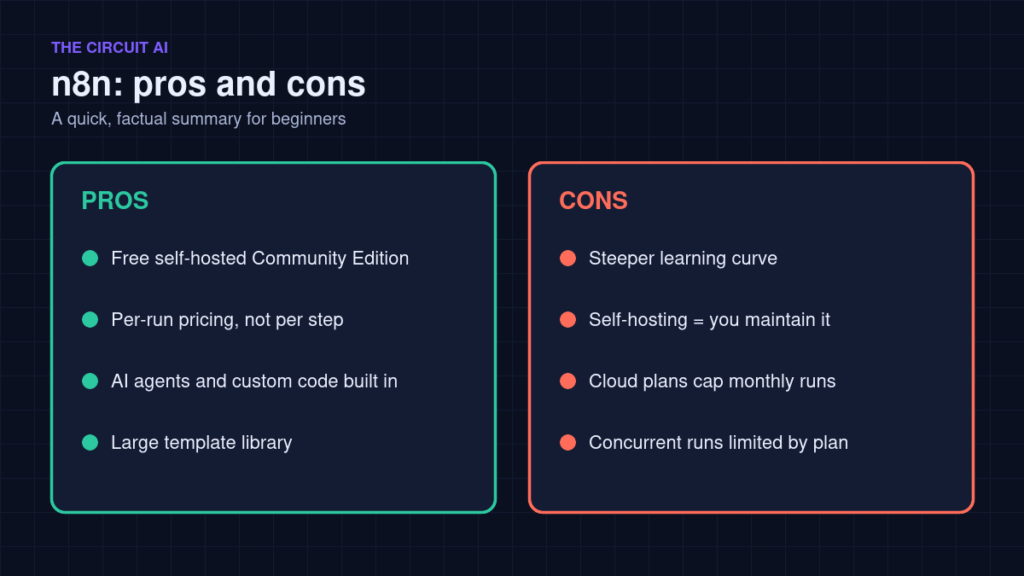
Pros
- Free, self-hostable Community Edition
- Per-execution pricing is predictable for multi-step workflows
- Strong AI agent features and support for custom code
- Large template library to start from
Cons
- Steeper learning curve than the simplest no-code tools
- Self-hosting means you handle maintenance and security
- Cloud plans cap monthly executions and concurrent runs
Who is n8n best for?
n8n is a strong fit for creators, freelancers, small businesses and technical teams who want flexible automations with AI built in, and who do not mind learning a slightly more technical tool. If you want the absolute simplest point-and-click experience with no technical setup, a simpler tool may suit you better at first.
FAQ
Is n8n free?
The self-hosted Community Edition is free. n8n Cloud plans are paid, with a free trial that needs no credit card.
Do I need to code to use n8n?
No. Most workflows can be built visually. Code nodes are optional for advanced logic.
Can n8n run AI agents?
Yes. n8n includes an AI Agent node and AI steps, and its plans list Agents, MCP and AI nodes as included features.
Where is n8n Cloud data stored?
According to n8n, hosted plans store data on servers in Frankfurt, Germany (EU). On self-hosted plans, data stays wherever you host it.
Final thoughts
n8n is one of the most practical ways to start automating repetitive work with AI in 2026. Start with one small workflow, like the email summary bot above, measure the time it saves, and build from there.