
Disclosure: TheCircuitAI may earn a commission if you sign up for a tool through links on this site, at no extra cost to you. This comparison is based on each company’s official pricing pages, checked on October 9, 2026.
n8n, Zapier and Make are three of the most popular tools for automating work between apps, and all three now offer AI features. They look similar from the outside, but they charge for usage in very different ways and suit different kinds of users. This guide compares them factually so you can pick the one that fits your workflows, rather than the one with the loudest marketing.
Quick overview
- n8n: a visual workflow builder with a free self-hosted Community Edition, custom code support and built-in AI agent nodes. Cloud plans are billed per execution.
- Zapier: a beginner-friendly automation platform built around “Zaps”, with add-on AI agents and chatbots. Billed per task.
- Make: a visual scenario builder known for detailed branching and data transformation. Billed per credit.
How each tool counts usage
This is the single biggest difference, and it affects your bill more than the headline price.
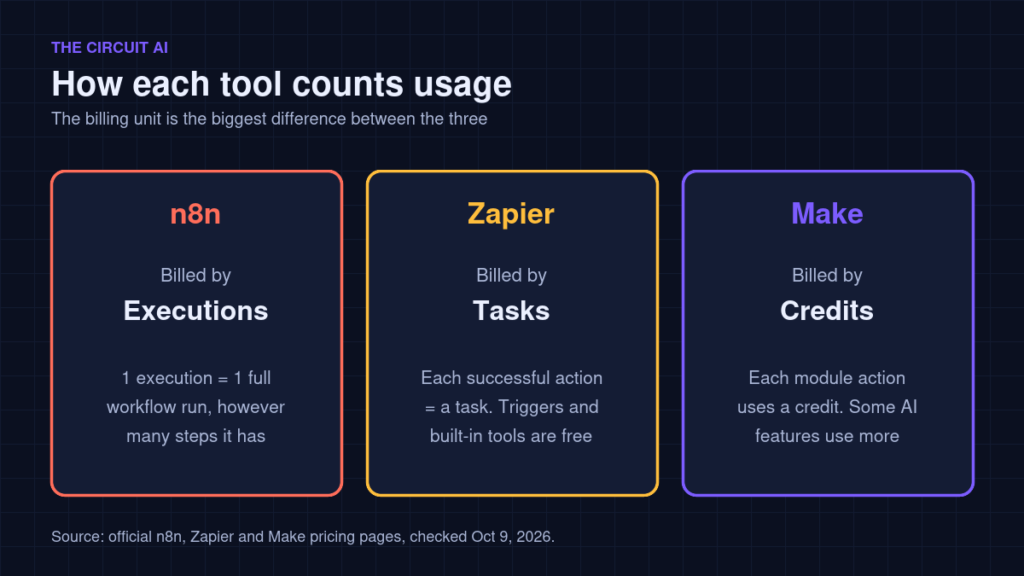
- n8n counts one execution each time a workflow runs from start to finish, no matter how many steps it has.
- Zapier counts a task for each successful action. Triggers, polling and built-in tools such as Filter, Formatter, Paths and Delay do not use tasks, and failed actions are not counted. Zapier MCP uses two tasks per tool call.
- Make uses credits: most module actions use one credit, router and error-handler modules do not, and some advanced AI features can use more. Running code on paid plans uses 2 credits per second.
What that means for a real workflow
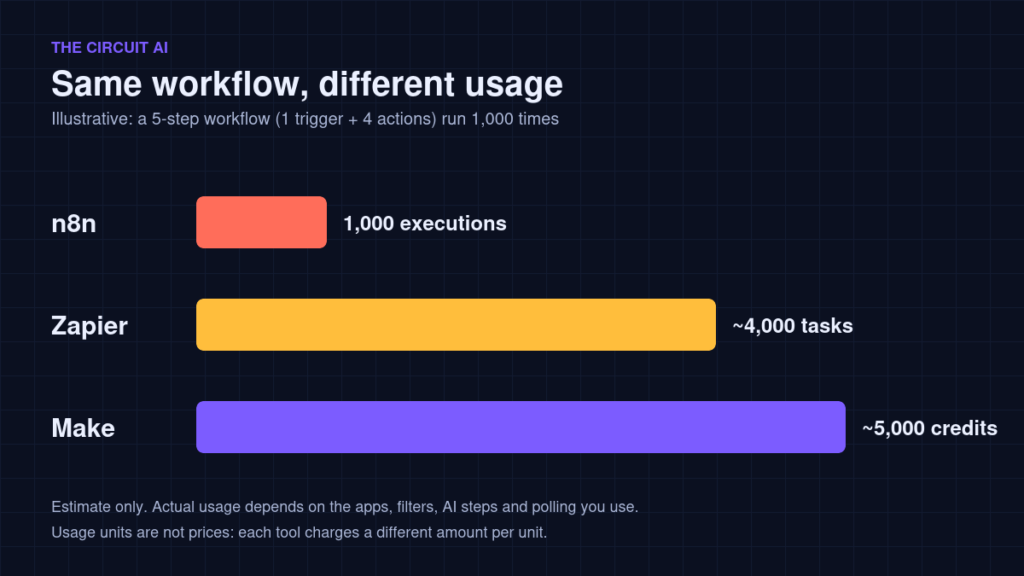
Take a 5-step workflow (1 trigger and 4 actions) that runs 1,000 times a month. As a rough illustration, that is about 1,000 executions in n8n, around 4,000 tasks in Zapier, and around 5,000 credits in Make. These are estimates, not quotes: filters, AI steps, polling and app choice all change the real numbers, and each tool charges a different price per unit.
Pricing compared (2026)
| n8n | Zapier | Make | |
|---|---|---|---|
| Free option | Self-hosted Community Edition (free) | Free plan, 100 tasks/month | Free plan, up to 1,000 credits/month |
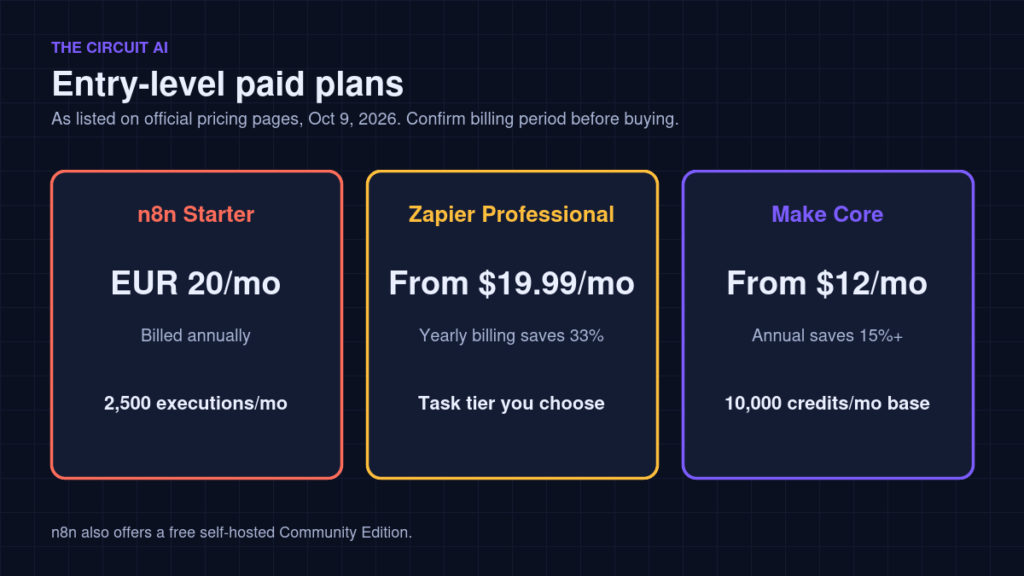
| Entry paid plan | Starter: €20/month billed annually, 2,500 executions | Professional: from $19.99/month | Core: from $12/month for 10k credits |
| Next tier | Pro: €50/month billed annually, 10,000 executions | Team: from $69/month, 25 users | Pro: from $21/month; Teams: from $38/month |
| Annual discount | About 17% vs monthly | Yearly billing saves 33% | Annual saves 15% or more |
| Enterprise | Custom quote | Contact sales | Custom pricing |
Zapier and Make let you scale task or credit volume with a slider, and their pricing pages do not list every tier’s price, so check the exact figure for the volume you need. Prices and currencies can change; always confirm on n8n, Zapier and Make before buying.
Free plans and trials
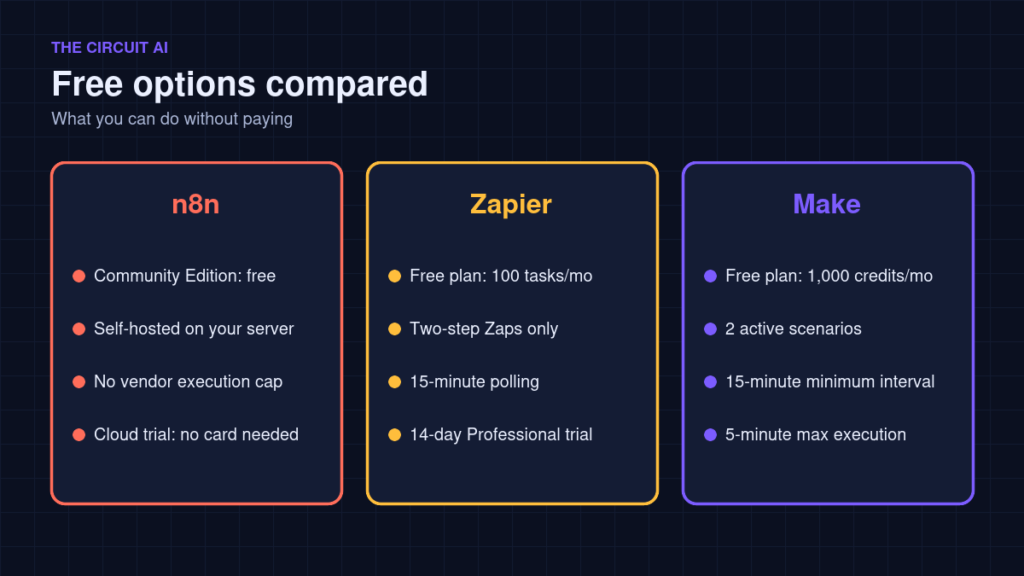
- n8n: the Community Edition is free to self-host with no vendor execution limit, though you pay for and maintain your own server. The cloud trial needs no credit card.
- Zapier: the free plan includes 100 tasks a month, two-step Zaps and 15-minute polling. New accounts get a 14-day Professional trial with no card required.
- Make: the free plan includes up to 1,000 credits a month, 2 active scenarios, a 15-minute minimum interval and a 5-minute maximum execution time.
AI features
- n8n includes an AI Agent node, AI steps and MCP support on its cloud plans, and lets you mix AI with custom JavaScript or Python.
- Zapier offers AI steps inside Zaps plus separate add-ons: Agents (a free tier with 400 activities a month, and a paid tier) and Chatbots. Zapier MCP lets AI apps call Zapier actions.
- Make supports AI modules inside scenarios; its pricing page notes that some advanced AI features use more than one credit.
Ease of use
Zapier is generally the simplest to start with: you pick a trigger app and an action app and fill in fields. Make’s visual canvas shows every step and branch, which helps with complex logic but takes a little longer to learn. n8n is the most flexible of the three, especially if you are comfortable with data structures or code, but it has the steepest learning curve for complete beginners.
Which tool fits which user?
There is no single winner. The right choice depends on your skills, volume and how much control you need.
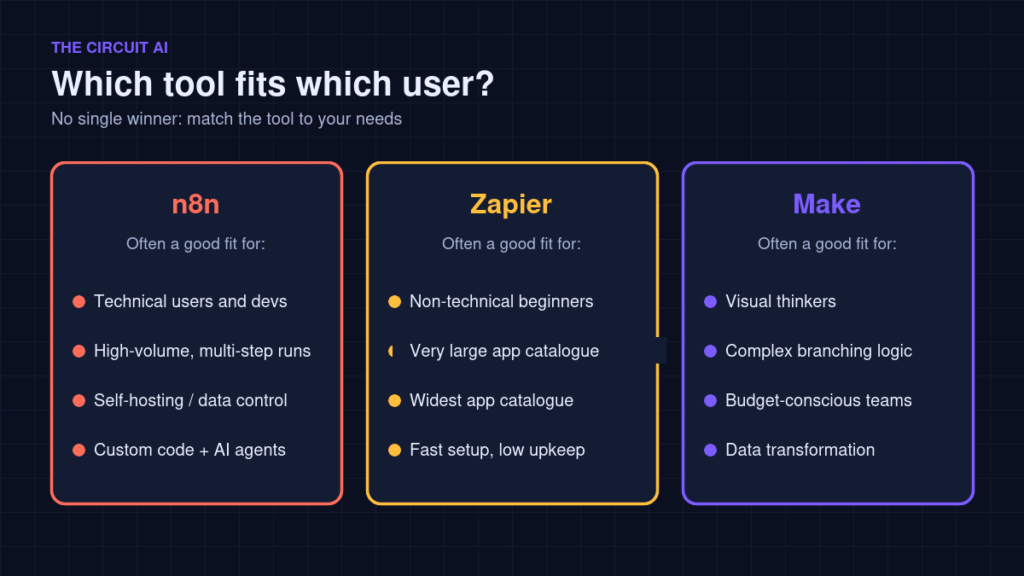
- Consider n8n if you run high-volume, multi-step workflows, want to self-host for cost or data-control reasons, or want to build AI agents with custom code.
- Consider Zapier if you are non-technical, want simple app-to-app automations running quickly, and value a large app catalogue and low maintenance.
- Consider Make if you like visual building, need detailed branching or data transformation, and want a low entry price for moderate volume.
FAQ
Which is cheapest: n8n, Zapier or Make?
It depends on your workflow. n8n’s self-hosted Community Edition is free software, and its per-execution billing favours long multi-step workflows. Make has the lowest listed entry price of the paid cloud plans. Zapier’s free plan is the smallest, but triggers and many built-in tools do not use tasks.
Can I switch tools later?
Yes, but workflows do not transfer directly between these platforms, so you would rebuild them. Start with one or two workflows to test a tool before moving everything.
Do I need to code?
No. All three are no-code first. n8n and Make also support code for advanced cases.
Final thoughts
All three tools are capable. Map out one real workflow, estimate how many executions, tasks or credits it would use in each, and try the free plan or trial before committing. That small test will tell you more than any feature list.