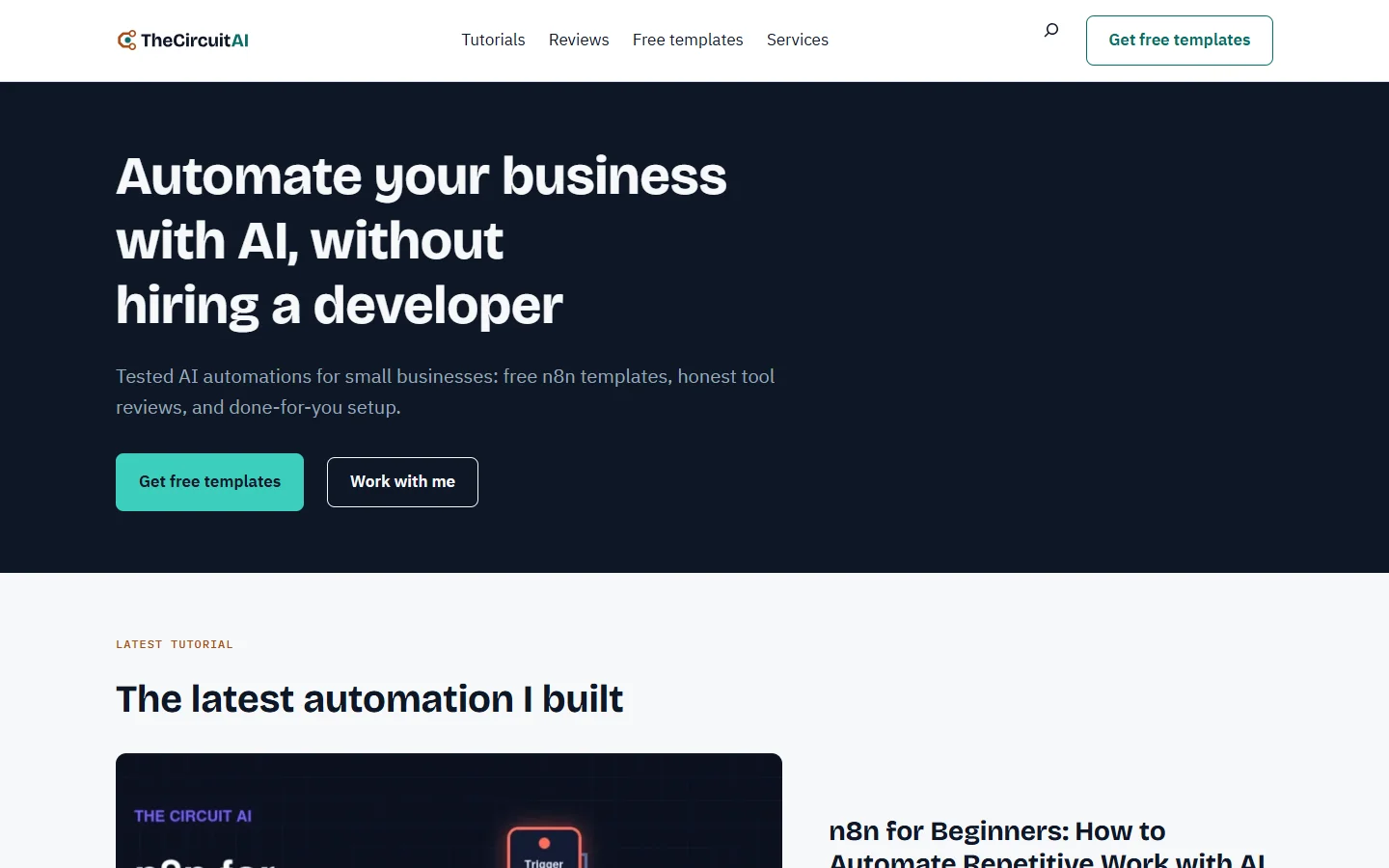
I’m new to coding. On 15 October 2026 this site still ran on Astra and Elementor. Since 20 October it has run on a block theme that Claude Code, Anthropic’s AI coding assistant, wrote for it, and on 30 October the homepage scored 100 in all four PageSpeed Insights categories on mobile.
This post shows how that went, what broke on the way, and the theme itself: a free WordPress block theme, with the small plugin that goes with it. Skip to the download.
Why I left Astra and Elementor
The old homepage loaded Elementor’s files, Google Fonts and jQuery, and several posts were built in Elementor. I wanted three things instead:
- No page builder: one theme, and pages built from the blocks WordPress already has.
- The whole design in one place: colours, fonts and sizes in one file (theme.json), so a change shows up everywhere at once.
- Fewer plugins, and fewer files on every page.
One honest gap: I didn’t measure the old site’s speed before I started, so there is no “before” number in this post.
What I built
Two pieces.
Circuit, the theme. 13 templates: the homepage, the blog, search and 404 pages, two page widths, four post layouts (standard, tutorial, review and comparison), the free-templates library with a page for each template, and a fallback for everything else. And 37 patterns: the hero, FAQ, verdict box, pros and cons, comparison table, author box, newsletter band and shells for the legal pages. The fonts (Bricolage Grotesque for headings, IBM Plex for text) load from my own server, not from Google. The theme has no JavaScript of its own.
Circuit Core, a small plugin for the parts that must keep working if I ever change the theme: the library of free n8n templates, a cookie banner, and a later start for Google’s tag (more on that below). The cookie banner is custom code, not another plugin: Google Analytics sets no cookie until a visitor clicks Accept.

How I built it with Claude Code
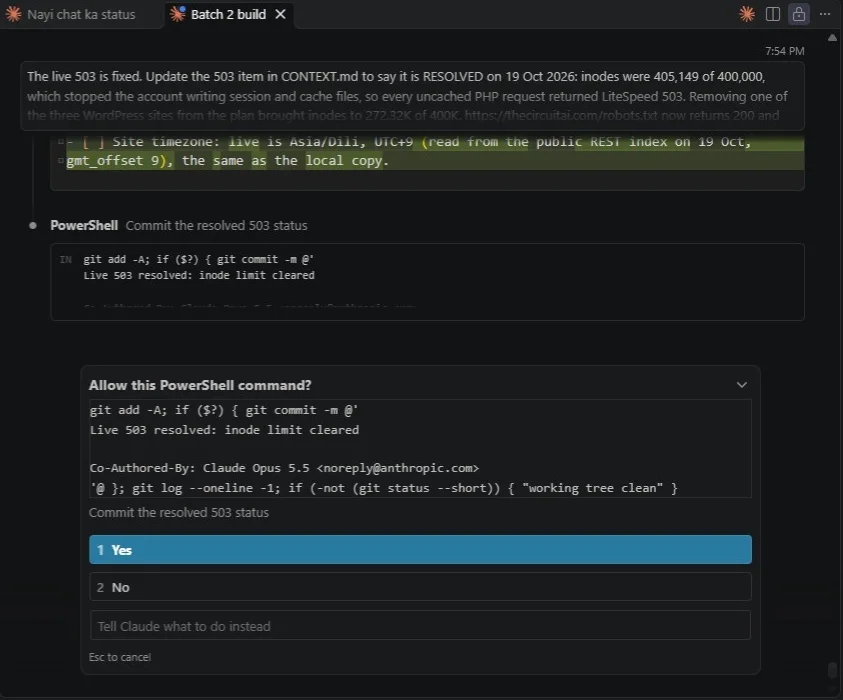
Claude Code ran inside VS Code on my PC. It read the project files, wrote the code and tested it. My job was to decide, to check and to say yes or no.
Before the first line of code, I wrote my rules into a file called CLAUDE.md, which Claude Code reads at the start of every session. A few of them:
- Build on a local copy first (LocalWP), never straight on the live site.
- Check every change at phone width (390 px) and desktop width (1440 px).
- A Git commit after every step that works.
- A fresh backup before anything goes live, and a one-click way back to the old theme.
- Never invent numbers, reviews or prices.
- Explain every step to me in simple words, in Hinglish.
Then it went one step at a time: the plan, the theme’s base, the homepage, the post layouts, the plugin, the audit. Claude Code checked each change itself, with scripted screenshots in a headless browser. Before the switch, it compared 49 pages at three widths on the local copy. My hosting plan has no staging site, so the switch on 20 October was: a fresh backup, upload, activate, check, with Astra still installed and one click away.
From the first commit on 16 October to this post: more than 80 commits, each one a small step I could undo.
The speed results
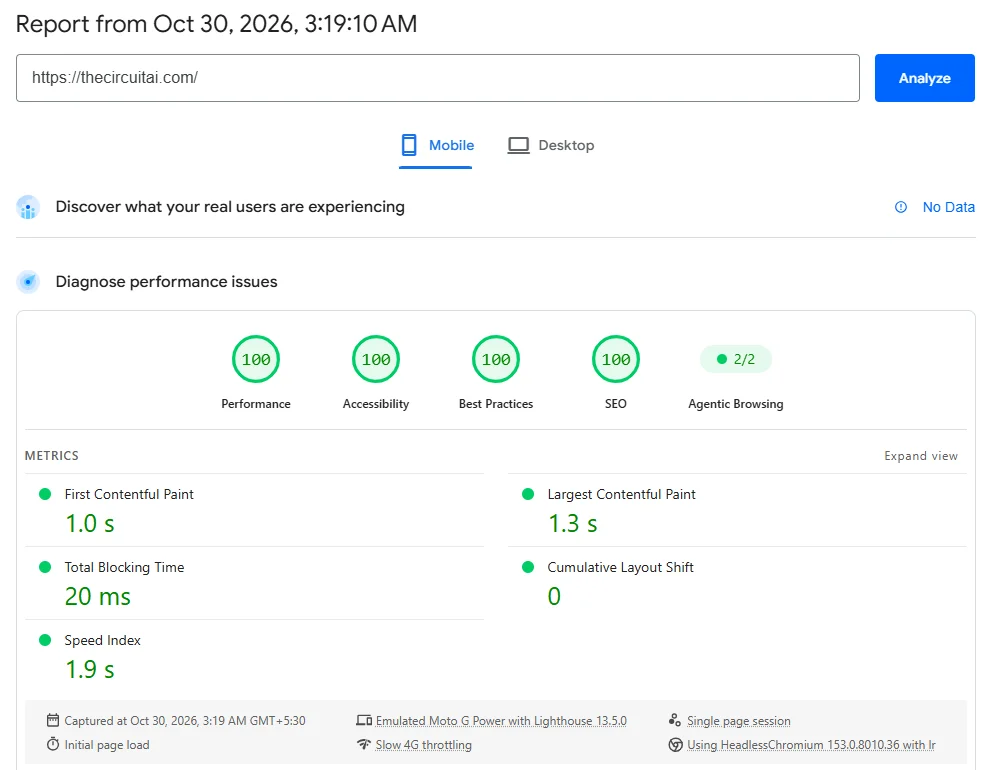
On 30 October 2026, PageSpeed Insights on mobile gave the homepage 100 for Performance, Accessibility, Best Practices and SEO. Largest Contentful Paint: 1.3 s. Total Blocking Time: 20 ms.
Posts were slower at first. In Lighthouse lab tests on 28 October (mobile, simulated slow 4G, 3 runs per page), the five slowest posts scored 73 to 82. The Google tag change on 29 October took them to 95 to 98. What made the difference:
- Google’s tag after the page loads. Site Kit adds Google’s gtag.js (about 190 KB) to every page. On a slow phone, when it arrived before the first paint, it held the paint up: in all 57 test runs, the first paint was late exactly when the tag came first. The plugin now starts it after the page has loaded. The trade-off: a visitor who leaves before the page has finished loading isn’t counted in Analytics.
- No render-blocking CSS. The theme’s stylesheet is printed into the page instead of loaded as a separate file.
- Fonts that load early. The heading and body fonts are preloaded, from my own server.
- Smaller images. The big images in posts are WebP now.
- Less to load. No page builder and no Google Fonts on any page, and no jQuery on the homepage.
You can run the same test on your own site at PageSpeed Insights.
What went wrong, and how I fixed it
The site went down with 503 errors (18 and 19 October). The hosting account had hit its file limit: 405,149 inodes (files and folders) on a plan that allows 400,000. Removing one of the three WordPress sites on the plan brought it down to about 272,000. If you’re on shared hosting, check your inode count before you blame WordPress.
Security scans that never finished. Wordfence’s full scans kept stopping about ten seconds in. The cause was the server, not Wordfence: LiteSpeed stops long background requests unless it’s told not to. A small “noabort” rule in .htaccess fixed it, and the first full scan found no malware.
Old addresses. Elementor had left my Privacy Policy at /elementor-3615/. It now lives at /privacy-policy/, and the old address sends visitors there with a 301 redirect. Every address I changed got a redirect like that, so old links keep working.
Get the theme free
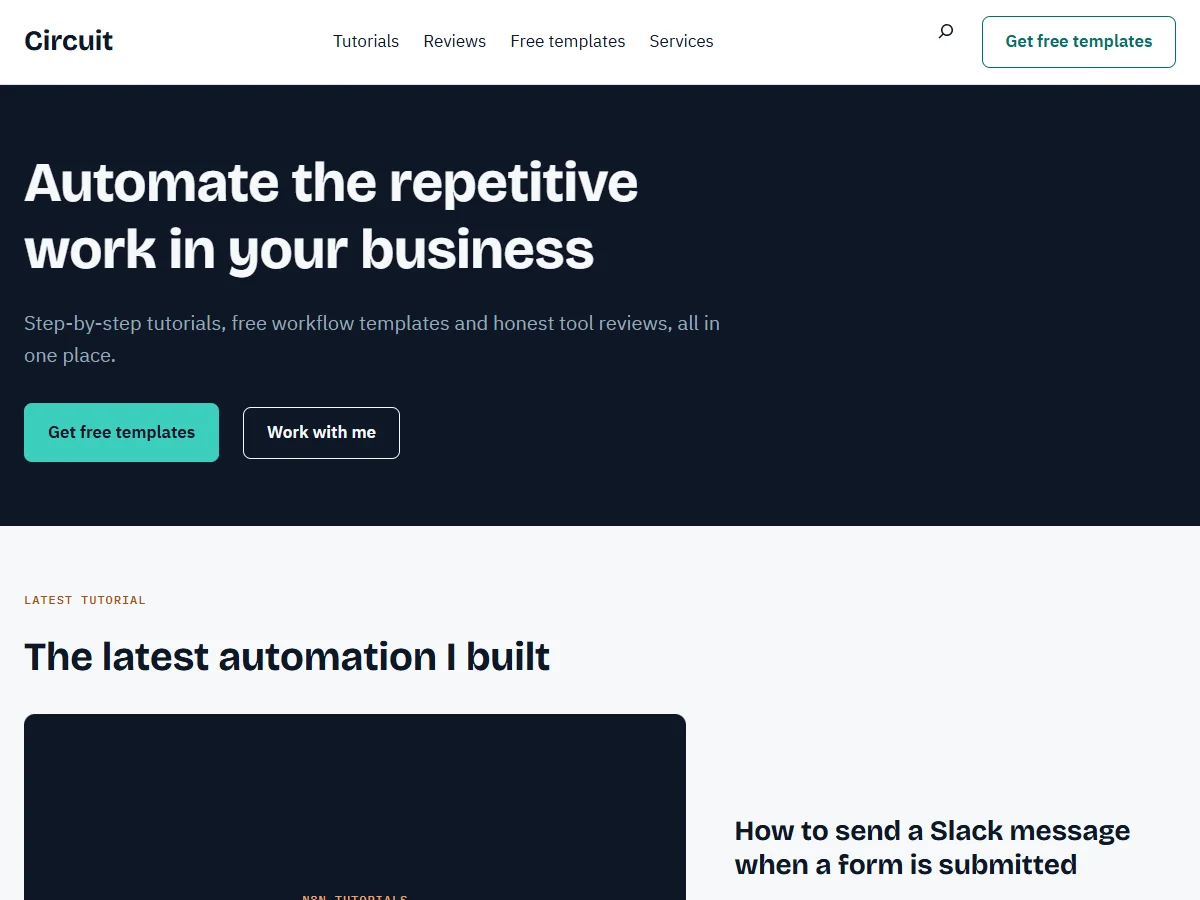
Circuit 1.0.0 is the theme behind this site, with my name, photo, logo, prices and contact details taken out and placeholders put in. The Circuit Core 1.0.0 plugin comes with it. Both are free under the GPL: use them, change them, use them on client sites.
- Needs: WordPress 6.6 or newer, and PHP 7.4 or newer.
- Tested on: WordPress 7.1 with PHP 8.2, on this site and on a fresh install in WordPress Playground (22 pages at phone and desktop width, 30 Oct 2026).
- Not included: support and automatic updates. If I release a new version, it will be on this page.
Free theme
Get the Circuit theme and plugin
Join the TheCircuitAI newsletter and the download links show right away.
You also get my newsletter: automations I built and tested, with their templates. Unsubscribe any time. Privacy policy
How to install it
- In WordPress, go to Appearance > Themes > Add New Theme > Upload Theme, choose circuit-theme-1.0.0.zip, then Install Now and Activate.
- Optional: Plugins > Add New Plugin > Upload Plugin, choose circuit-core-plugin-1.0.0.zip, then Install Now and Activate. It adds the free-templates library and the cookie banner.
- Settings > Permalinks: choose “Post name”.
- Open readme.txt in the theme’s folder for the rest: which pages to create, and which placeholder text to replace.
Try it on a local copy or a test site first, not on your live site.
FAQ
Is it really free?
Yes. The theme and the plugin are under the GPL v2 or later: use them, change them, share them, use them on client sites.
Do I need the Circuit Core plugin?
No. The theme works without it; you only miss the free-templates library and the cookie banner.
Does it work with Elementor or another page builder?
I haven’t tested it with one. It’s a block theme, made for the WordPress block editor, so you don’t need a page builder.
Will it get updates?
Not automatically. If I release a new version, it will be on this page.
Can you build a site like this for me?
If you want a website built for you, with the automations behind it, see my services.